- Koala Bites
- Posts
- Issue 3
Issue 3
Saturday Edition

David Skaife
February 03, 2024 • Estimated Reading Time: 8 minutes
⭐️⭐️In this issue⭐️⭐️
A short list of Facebook groups I find useful
Making a Playground Story with AI assist
Twee: An AI tool for creating lesson plans
X-ray vision?
The Rumor Mill
😑📘Facebook groups I find useful
Koala Go related:
All things Koala, If you are using Koala Go this is the place to be. Things move fast there so it can sometimes be hard to keep up. A fantastically creative and helpful bunch of people. Lots of sage advice, tips and tricks and sometimes funny stories to boot.
Emily’s page covers many aspects of her playgrounds, how to use them, what’s coming up, that sort of thing. Not everything there is cross-posted on Koala Teachers Family, so I watch both to keep up to date. Emily is constantly sharing helpful tips, things that work for her and interesting new solutions to problems faced by many online teachers. A great resource.
This is a new group started to showcase Playgrounds for sale on the Koala Go Marketplace. We noticed that with the fast paced nature of Koala Teachers Family our Playground related posts were scrolling off the page and people were missing them. So go check them out. If you have a Playground on the marketplace, post it there and of course, you should also contact me to have a write-up in Koala Bites!
AI in education related:
This is probably the best AI in Education group I have found, lots of people to point you in the right direction, some new apps I never knew about. Some fun debates over AI usage by teachers and students, sometimes mildly heated…
Job Search related:
This is a mixed bag of people offering teaching jobs, mostly very low paying, people looking for jobs or advice on how to go solo, or reviews of companies to work for. I’ve found it useful. This is where I got the link to the job I have currently, not sure I should thank them for that…but that’s another story.
AI in the Playground
🤖📙Making a reading comprehension Playground Story with AI assist
I really enjoy messing around with the latest free AI models and have the AI do some of my work…Now before you get all excited, you should know that at this time AI is sort of like an underpaid employee. You have to check everything they do, but it’s still much easier than doing everything yourself.
That being said, I find that If I ask nicely and use the right words (prompts), AI is capable of making a very nice short story that I can use for reading comprehension. A much better story than I could ever write and it only takes seconds.
If I like the story I then ask for 15 T or F questions and 15 fill in the blank questions. Out of those 30 questions, I can pick 10 or 15 or 20 to put in a playground template and then it’s just copy and paste. After a bunch of copying and pasting , moving and locking, checking and rechecking, I end up with something like this…
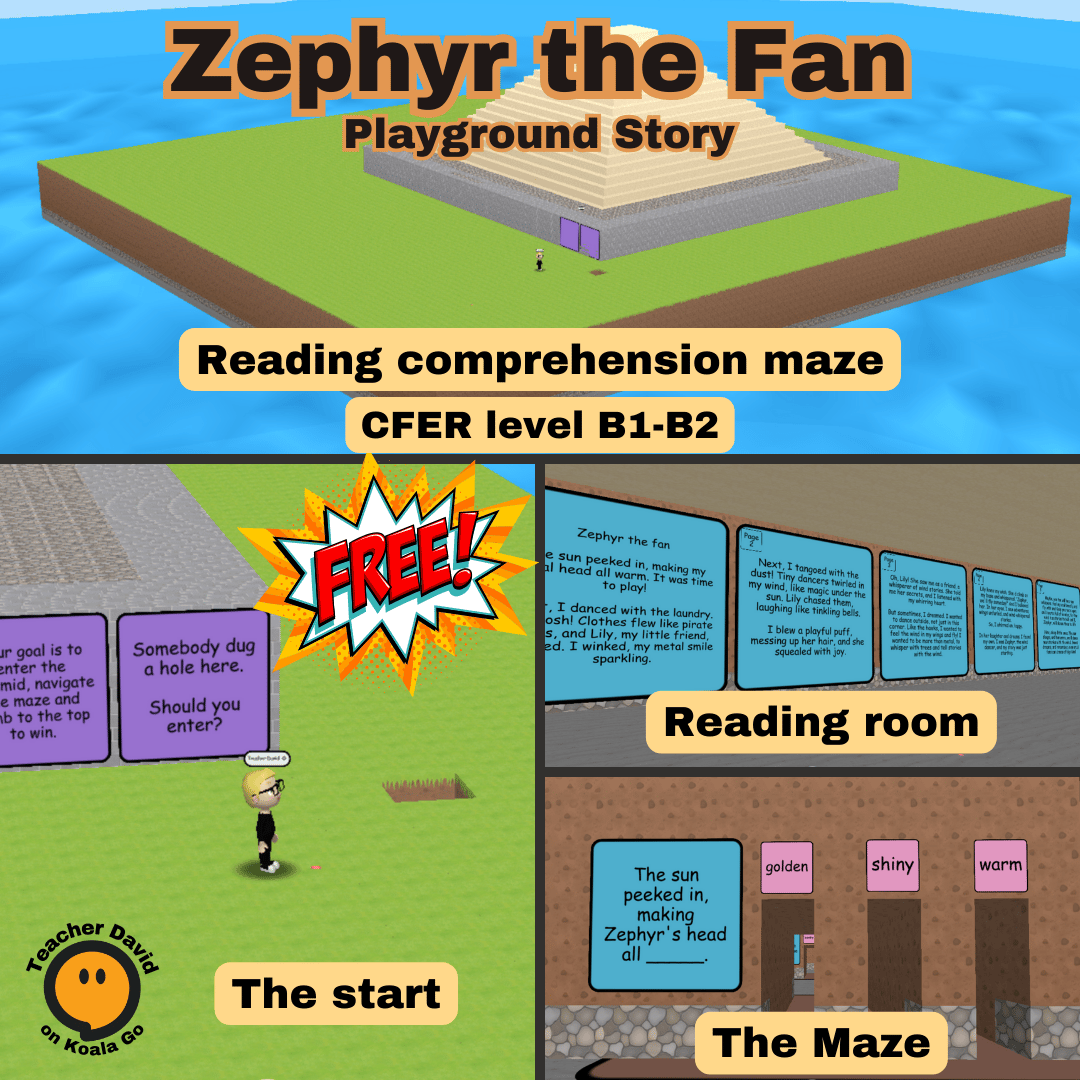
Now that all the infrastructure and organizing is in place these are relatively quick for me to produce. So easy in fact, here’s another one, this one has a play code to enter and that code is 7896.

Bonus points if you notice the typos…
AI in education
🤯Twee: Another AI tool that you might consider
This app was brought to my attention again by Dawn. I had seen it before on one of my AI newsletters, but didn’t look at it because there were a lot of other things going on at that time in that space.
I subscribe to and read 4 different newsletters on AI, and there is just no way to see everything. There are billions of dollars being thrown at AI startups these days, so they are coming out of the woodwork in droves. It’s an exciting time to be alive.
Anyhow, Twee, this looks to be ahead of the pack in the area of lesson plan creation. Personally I don’t create that many lesson plans, but if I did, this looks very promising.
Input a video and it produces a customized lesson plan that can be refined and changed, differentiated, printed or PDFd Wow!
I had seen many people talking about another app like this called Diffit on this group, after some time exploring Diffit I was impressed, but didn’t have a use for it at the time. Twee looks to be on another level.
Check out their Demo video

Playground nerd corner
🦸🏻♂️X-ray vision?
Another superpower exposed!!
I was busy building a new playground template for student testing in Stories and decided to try out some of my new ideas for sticky notes.
A problem arose as I was trying to figure out how I would make the template easy to edit, or even possible to edit.
The solution was an “easy” one I just needed to be able to see through the sticky notes and not move them, since that becomes tedious.
I had noticed something before… while placing walls over sticky notes…
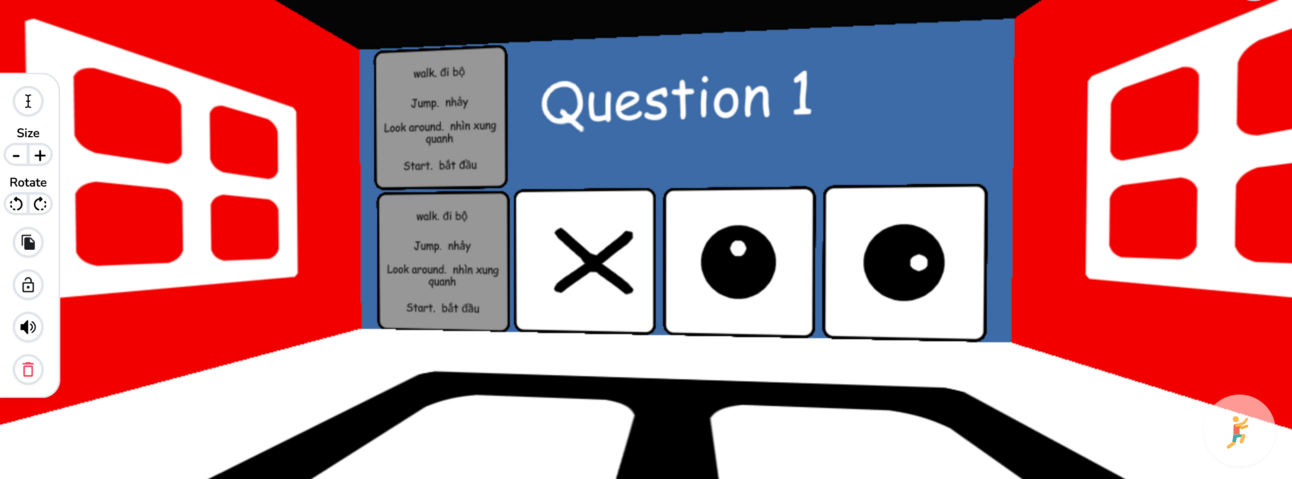

And there you have it, X-ray vision. That transparent mode when you are placing blocks seems to ignore sticky notes.
After I see what I need to see, I use the fabulous undo button to remove the new unwanted blocks. Much easier than moving 5 sticky notes (in this case) and then carefully placing them back exactly where they were.
I will show more of this project as it develops. It’s going to be weird…
The rumor mill
🛍️🐈⬛Ben’s bag of cats
I attended the recent Playground 102 class, as I like to see what people are struggling with in regards to Playground. Also, Ben sometimes lets one or more cats out of the bag.
This week did not disappoint, Ben not only gave his quick 102 class for Playgrounds, he answered many good questions, AND gave us a list of things we might see soontm.

Hurray Ben and team!!!
So start saving up your gems!!! I feel a spending spree coming on…
Submissions
📬Submissions
If you have an article or how-to video or playground launch you would like to share in this newsletter, click the button and send me an email to discuss it.
Reply