- Koala Bites
- Posts
- Is it time to clean-out your Koala Go Playground image library?
Is it time to clean-out your Koala Go Playground image library?
A Koala Go Playground tutorial

David Skaife
November 17, 2024 • Estimated Reading Time: 3 minutes

A few weeks ago I was having trouble with my image library, It took forever to load and I wasn’t able to add more images reliably. I could add them to the current Playground but they would not store in the library as it was already full. I found this annoying and finally dedicated some time to trim it down to a reasonable size.
Some of the images had a prefix that I had put on them before adding them so they were relatively easy to find and prune but for the other randomly named ones I had to search through the entire library scroll by scroll…tedious.
Not an image, these are layered Sticky Notes
So from now on when I add images for a project I always add a project specific prefix so they are easier to find in the library. Not only that, but they are easier to remove when I am finished with them.
All of my images come from Canva so I can always download more copies if needed again later.
My image library is now a bit more zippy and organized. Both of these make me very happy.
Here is how I add a project specific prefix to the images before adding them to the library.
The first thing I do is in Canva. I name all the slides so when I download them each image has a unique name instead of just a number.

name each slide
Once I unzip the download folder from Canva I open the folder and select all of the items within, and then do a group rename.
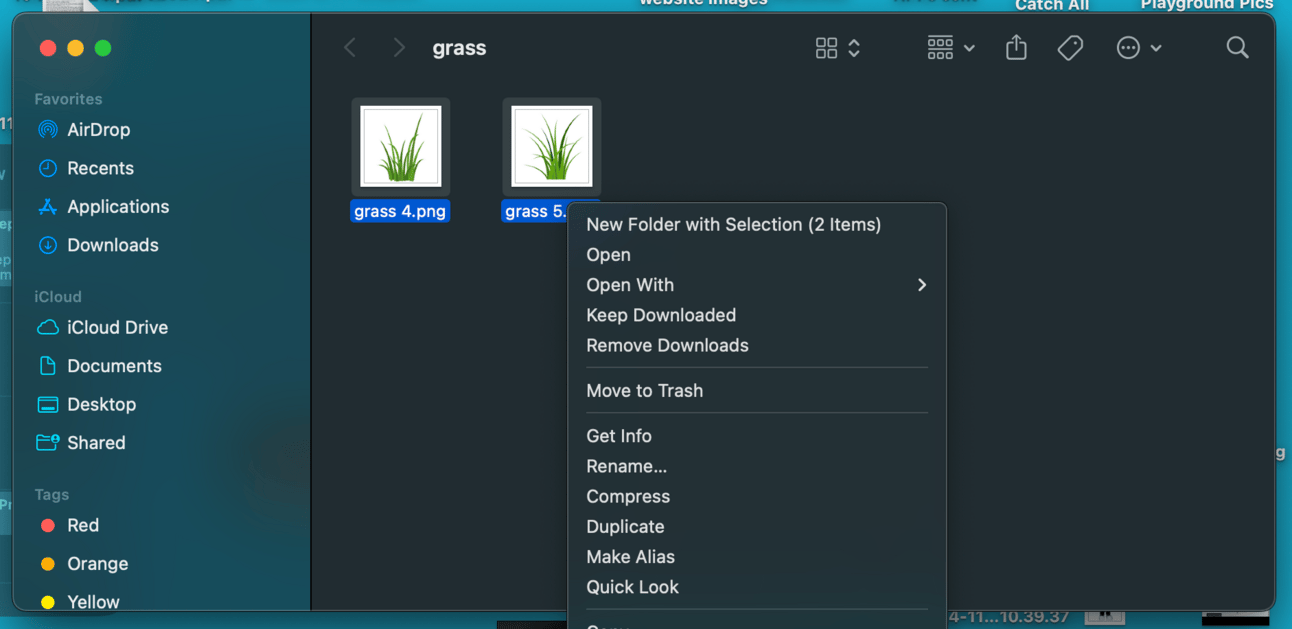
rename all the files at once
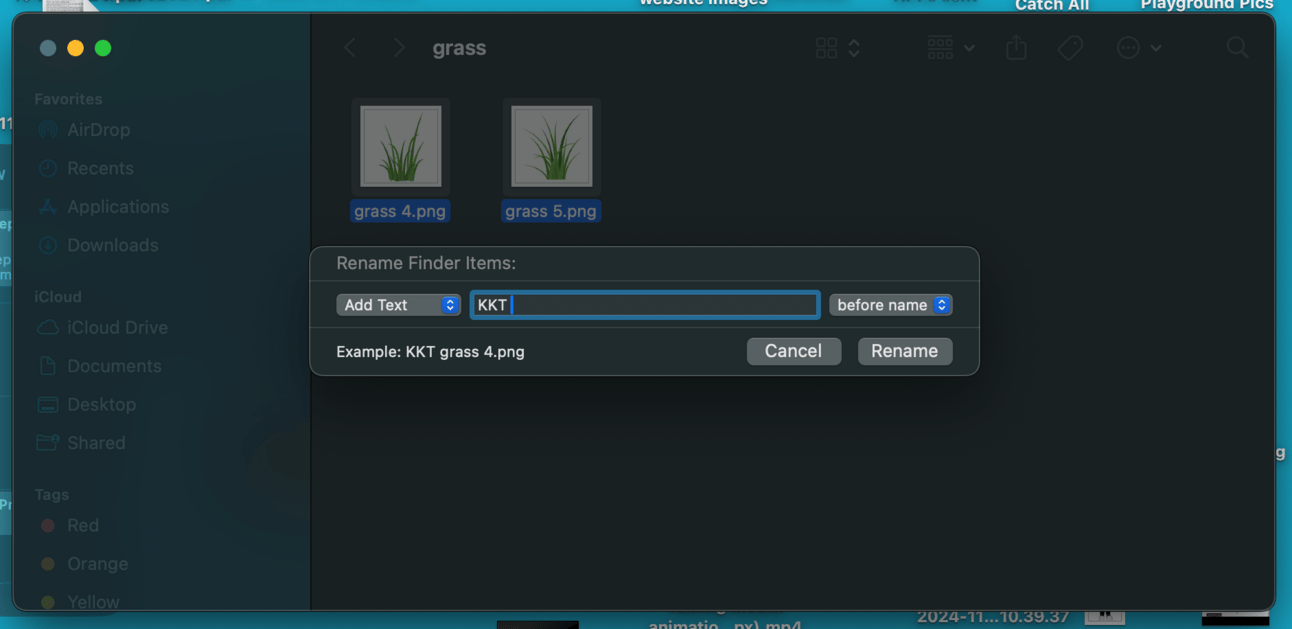
create a prefix

all done, ready to import
Now when I load them into the library they have a prefix and when I am finished with that Playground build they can be easily found and deleted.
Reply