- Koala Bites
- Posts
- I made a Koala Go FAQ AI expert using Google's NotebookLM
I made a Koala Go FAQ AI expert using Google's NotebookLM
Teaching Tools

David Skaife
February 23, 2025 • Estimated Reading Time: 5 minutes

AI Tools
🤖🛠️I made a Koala Go FAQ AI expert using Google's NotebookLM
I had seen many references to how amazing Google’s Notebook LM was and that it was free at the moment so eventually I had to go check it out. As with most things Google you just need to log in with a Google account, which to be honest is getting to be a very nice and useful thing to have these days. The Google AI workspaces are getting to be very robust and actually quite useful and you can do a lot on the free tier.
Ok, so what is Notebook LM? Well you can actually ask it yourself, and this is what it will say:
NotebookLM is a powerful AI tool that helps users understand complex information by allowing them to upload various source materials (documents, web pages, audio) into a notebook. The AI then synthesizes this information, providing features like summaries, outlines, and study guides. Users can interact with the AI via a chat interface, asking questions with answers grounded in the uploaded material and provided with inline citations.

Basically you load up a “Notebook” with any diverse data you have on a topic, videos, PDFs, webpages, text files…whatever you got, stick it in there. Then you can start asking questions and get answers based on all that mismatched data.
My first project was a Koala Go FAQ, I put in a bunch of the Koala training videos, student and teacher PDF guides, scraped the website, and even put in some of my own articles from Koala Bites. Notebook LM combs through all that data and gives you coherent answers with references to the source material.
Have a look as I ask it some questions:
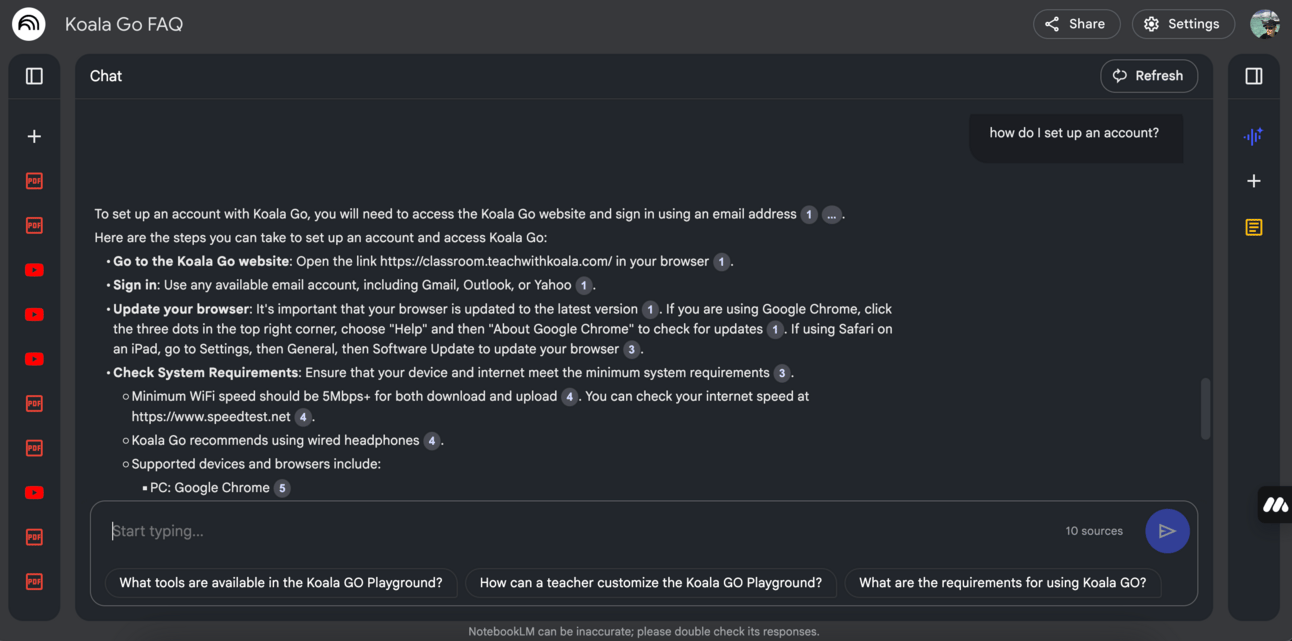
How do I set up an account?
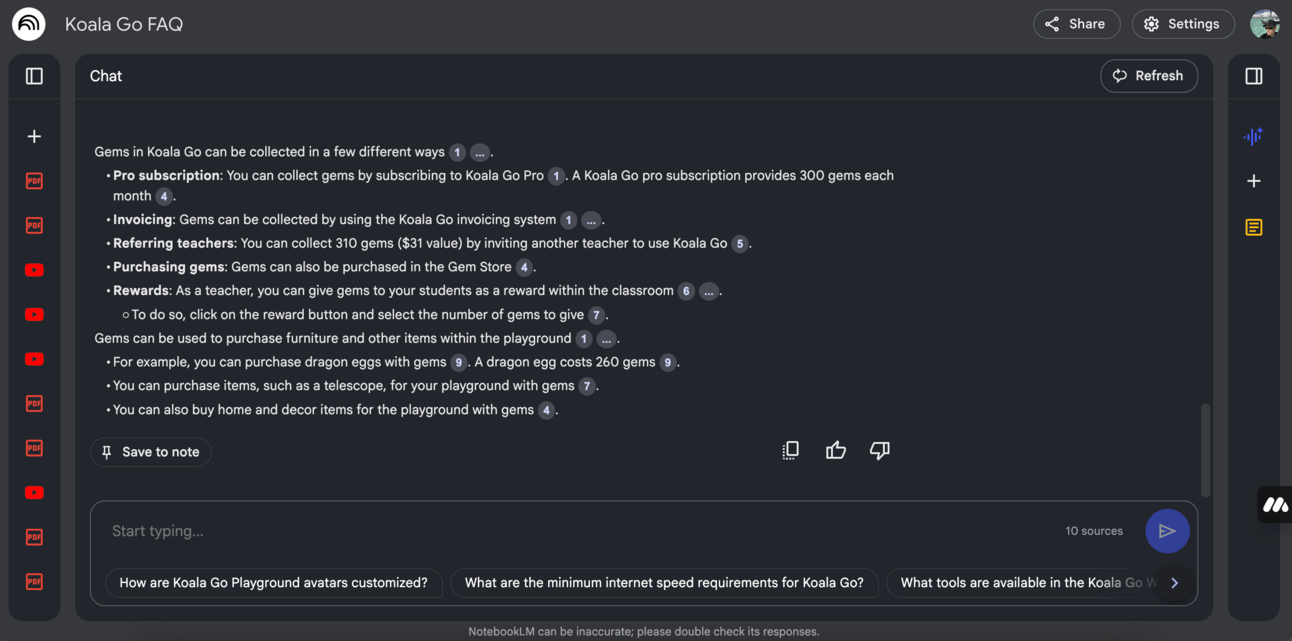
How do I get Gems?
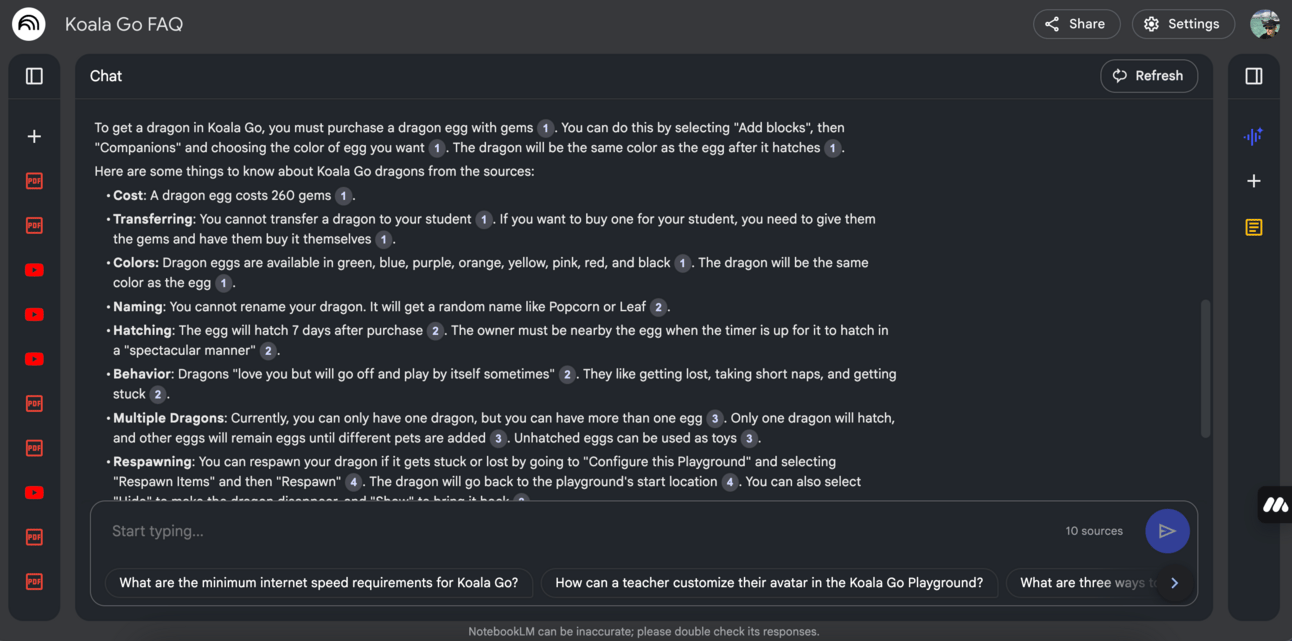
What can you tell me about Playground dragons?

Some of the diverse data files I used on the left, videos, PDFs, text files etc
Unfortunately on the free tier I am unable to share this Notebook with others, with the paid version I could share it with whoever I decided to give access to.
Very cool, you are basically making interactive AI experts of niche content, no matter what format the original sources are in. It does an excellent job of retrieving, organizing and presenting quality answers to your questions with references to where the information was found.
But wait, there’s more, you can give it a topic and have a podcast made on that topic, I’ve seen this before and written about it, but this version is on the next level, the voices are excellent, they have, what I consider to be, great personalities for a podcast, it really does sound like a quality podcast. I asked the AI to cover how set up an account and how to use Playground, I told it that the potential audience was online teachers of children, the AI did all the rest. Have a listen, see what you think, there were 1 or 2 small errors I caught and it started to repeat itself so I trimmed the end off, but for the most part, I wish I could present podcasts like this.
I have made a couple other FAQ notebooks for other topics I am studying and it is a game changer to get quick answers.
Reply